QuickBooks vs Xero vs NetSuite vs SAP: Which Accounting ERP Is Right for Your Business?
Choosing accounting software by brand recognition alone is risky. The right platform depends on your entity structure, transaction complexity, inventory, projects, revenue recognition needs, reporting requirements, integrations, internal controls, budget, and internal capability — not just which name is most familiar. QuickBooks and Xero may be excellent for a smaller or moderately complex organization. NetSuite or SAP may be appropriate once operational and financial processes require broader enterprise control. The implementation — not just the software choice — is what actually determines success.
NetSuite: For Businesses Outgrowing Disconnected Tools
NetSuite is a cloud ERP that can combine financials with order management, inventory, procurement, projects, and multi-entity operations in a single system. It tends to suit organizations that have outgrown a patchwork of disconnected tools (accounting software plus separate inventory, e-commerce, and reporting systems).
The trade-off is a more demanding implementation, a formal governance model, meaningful configuration effort, and ongoing administration compared to QuickBooks or Xero.
SAP: For Complex, Regulated, or Multinational Environments
SAP offers broad enterprise capabilities suited to complex, regulated, multi-location, and multinational environments. Product choice and implementation scope vary significantly across the SAP portfolio, so “SAP” isn’t a single product decision the way choosing QuickBooks is.
SAP can support deep process integration across finance, operations, and supply chain, but it requires clear system architecture, experienced implementation resources, strong change management, and disciplined data governance to succeed.
Feature & Fit Comparison
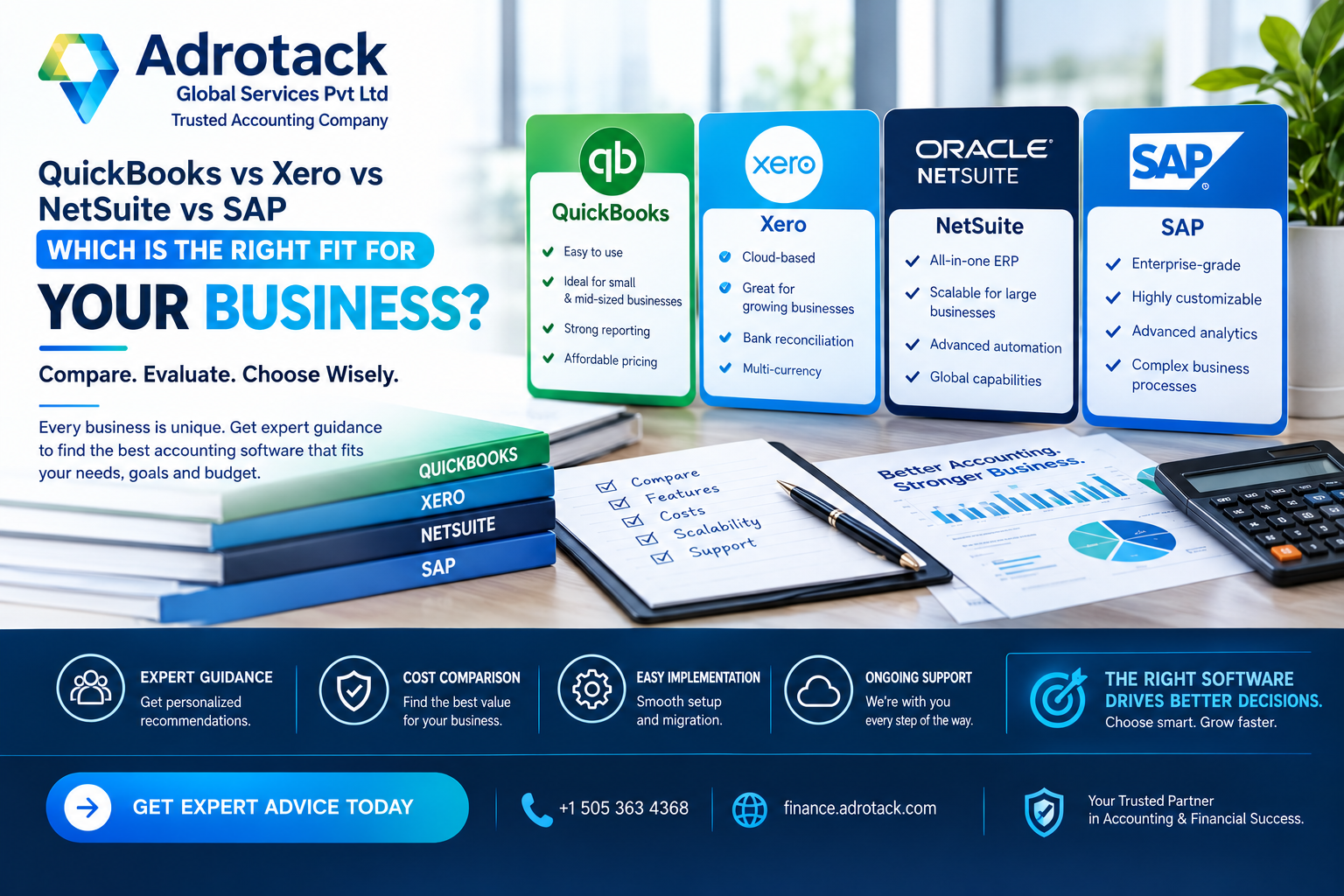
QuickBooks and Xero are generally best suited for small to moderately complex businesses. They have relatively low to moderate implementation complexity and typically require less internal administration. However, their multi-entity consolidation capabilities are more limited or may depend on add-ons. Inventory and order management are basic to moderate and may also require additional tools or add-ons. Their customization depth is relatively limited, and implementation can generally be completed within weeks.
NetSuite is a better fit for businesses that are outgrowing disconnected accounting and business tools. It has moderate to high implementation complexity and provides strong native support for multi-entity consolidation, inventory, and order management. NetSuite also offers moderate to high customization capabilities, although it requires a higher level of internal administration than QuickBooks or Xero. Implementation typically takes several months.
SAP is designed for large, complex, regulated, or multinational organizations. It has high implementation complexity, but provides strong and highly configurable multi-entity consolidation capabilities. Its inventory and order management features are strong and deeply configurable, with very high customization potential. However, SAP generally requires a high level of internal administration, and implementation can take several months to a year or more depending on the scope of the project.
How to Select the Right Platform
- Document current processes and future requirements before requesting demos — don’t let a vendor demo define your requirements for you.
- Score platforms against entity consolidation needs, inventory, project accounting, revenue recognition model, reporting, integrations, audit trail, permissions, scalability, total cost, support, and user experience.
- Separate mandatory requirements from preferences so you’re not swayed by impressive features you don’t actually need.
- Don’t force every old process into the new system — use implementation as an opportunity to simplify approvals, master data, reporting definitions, and the month-end close.
Signs Your Business Has Outgrown QuickBooks or Xero
- You’re manually consolidating numbers across multiple entities or locations outside the software
- Inventory tracking requires workarounds or spreadsheets alongside the accounting system
- Reporting requires exporting to Excel for anything beyond standard templates
- User permissions can’t be restricted precisely enough for your control needs
- You’re integrating (or trying to integrate) many disconnected point solutions
If several of these apply, it’s worth evaluating NetSuite or a comparable mid-market ERP rather than continuing to patch QuickBooks or Xero with workarounds.
ERP Implementation Stages
A controlled implementation program typically includes:
- Discovery — documenting current processes and requirements
- Process design — defining how the business will operate on the new system
- Solution architecture — designing the system configuration
- Configuration — building out the system
- Data cleansing — correcting and standardizing data before migration
- Migration — moving data into the new system
- Integrations — connecting other business systems
- Role design — defining user roles and permissions
- Testing — validating the system works as designed
- Training — preparing users for the new system
- Cutover — the transition to live use
- Stabilization — resolving post-launch issues
Reconcile migrated opening balances and validate key reports before go-live — this is one of the most commonly rushed steps and one of the most consequential if skipped.
What Actually Causes ERP Implementations to Fail
Ownership is critical. Data migration problems, unclear scope, and poor user adoption cause more implementation failures than software feature gaps. Assign clear business process owners, define decision rights up front, and maintain a risk and issue log throughout the project rather than only at the end.
Frequently Asked Questions
Which accounting platform is best — QuickBooks, Xero, NetSuite, or SAP? There’s no universal winner. QuickBooks and Xero suit small to moderately complex businesses; NetSuite suits businesses outgrowing disconnected tools; SAP suits large, complex, or multinational organizations. The best fit depends on your requirements, complexity, budget, and internal resources.
When should a business upgrade from QuickBooks to an ERP like NetSuite? Common triggers include manual multi-entity consolidation, inventory workarounds, permission limitations, heavy reliance on Excel exports for reporting, and too many disconnected point solutions to manage efficiently.
How long does an ERP implementation take? It varies significantly by platform and scope — QuickBooks/Xero setup can often be completed in weeks, while NetSuite or SAP implementations typically take months, sometimes longer for complex, multi-entity organizations.
Can all historical data be migrated to a new accounting system? It’s often possible, but migrating every historical transaction can add cost and risk without proportional benefit. Define your legal, reporting, and operational needs first, then decide what actually needs to migrate versus what can remain archived in the old system.
Is NetSuite overkill for a small business? For a straightforward, single-entity small business, likely yes — NetSuite’s implementation complexity and cost are generally justified once a business needs multi-entity consolidation, integrated inventory/order management, or has outgrown QuickBooks/Xero’s practical limits.
What’s the difference between choosing SAP and choosing NetSuite? SAP generally targets larger, more complex, or more regulated organizations with deeper customization needs, while NetSuite generally targets mid-market businesses that need integrated financials and operations without SAP’s implementation scale.
How should ERP implementation success be measured? Common measures include close speed, data accuracy, user adoption, process cycle times, reporting quality, control performance, and support demand — not just whether the system went live on schedule.
Do I need an implementation partner, or can I set up NetSuite/SAP myself? For QuickBooks/Xero, self-setup is common. For NetSuite or SAP, an experienced implementation partner is strongly recommended given the configuration complexity, data migration risk, and change management required.
What causes most ERP implementations to run into trouble? Unclear scope, data migration issues, and poor user adoption are more common causes of trouble than the software itself lacking features.
Should I customize the new system to match my old processes exactly? Generally, no — implementation is an opportunity to simplify approvals, master data, and reporting definitions rather than recreating old inefficiencies in a new system.
Conclusion
The right accounting ERP isn’t the one with the most features or the biggest brand name — it’s the one that matches your actual complexity today and over the next few years of growth. QuickBooks and Xero cover most small businesses well; NetSuite and SAP earn their added complexity once multi-entity, inventory, or enterprise-scale needs justify it. Whichever platform you choose, the implementation quality will matter more than the software choice itself.